Say goodbye to scheduling conflicts and long phone calls! With PractoSync’s online booking feature, your patients can effortlessly schedule appointments at their convenience. This streamlined process not only enhances patient satisfaction but also minimizes administrative burdens. You can manage your calendar in real-time and receive instant notifications for new bookings or changes. This means less time spent on the phone and more time dedicated to your patients. Enhance your practice’s efficiency and improve patient engagement with our easy-to-use online booking system, designed specifically for modern medical practices.

Our note-keeping functionality is designed to simplify patient documentation for medical experts. With this feature, you can effortlessly take notes during patient consultations, ensuring accurate and real-time record-keeping. The platform allows you to export notes for easy sharing or offline access and even summarize them for quick overviews. Additionally, you can create and use fully customizable templates tailored to your practice’s unique needs, streamlining your workflow and saving time. Stay organized, efficient, and focused on providing the best care to your patients with this versatile tool.

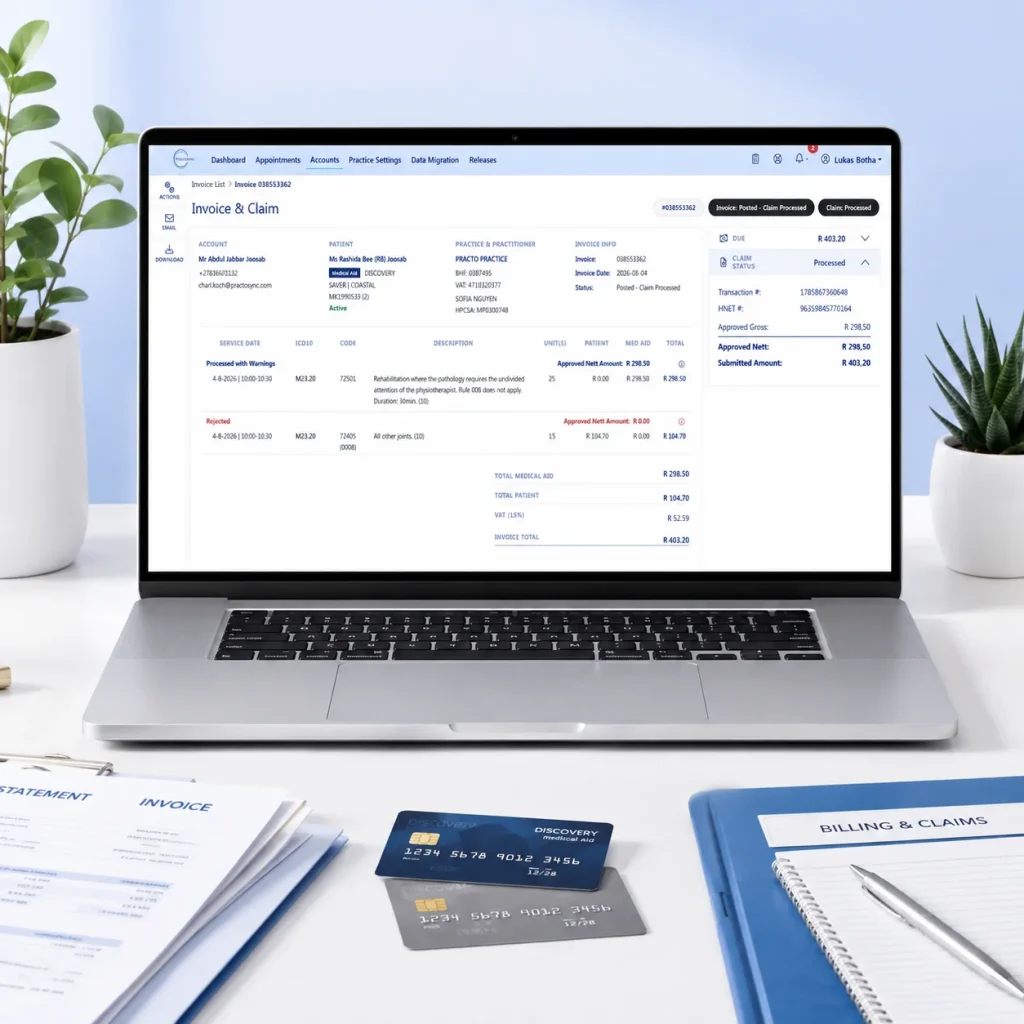
With PractoSync, billing becomes a hassle-free experience. Our platform automates billing processes, ensuring that invoicing is accurate and timely. Track payments, manage outstanding invoices, and generate financial reports with ease. You can customize invoices to reflect your branding, making them professional and clear for your patients. Additionally, our integrated claims submission feature takes the guesswork out of working with medical aids, allowing for faster reimbursements. Say goodbye to billing headaches and let PractoSync simplify your financial management so that you can concentrate on what matters most—your patients.